
Quick answer
vfio-native makes a Linux KVM guest look much more like real hardware — it cuts VMAware detections from 10/85 to 1/85. It does not make Windows games run on a Mac, and it is not a supported way around kernel anti-cheat. On macOS, the real options are translation layers, a VM for non-anti-cheat games, cloud gaming, Boot Camp on Intel Macs, or a Windows PC/console.
Hackaday’s write-up of vfio-native is a good excuse to separate two questions that get mixed together: how software detects a virtual machine, and how to run a Windows game on a Mac. The first is a technical problem with a measurable score. The second is a compatibility problem with a policy wall in the middle.
What vfio-native actually changes
The project combines three things:
- KVM spec conformance patches. Exception vectors for SVM instructions at CPL>0, and hypercall behavior that did not match the AMD64 architecture.
- QEMU platform identity patches. ACPI device names, PCI vendor and subsystem IDs, SMBIOS fields and device strings that otherwise point at the emulator instead of a real board.
- A VFIO tuning layer. vCPU pinning to real SMT pairs, sizing the guest to one cache domain, keeping the emulator thread off the vCPU cores, and host CPU isolation while the guest runs.
Against VMAware’s 85 detection techniques, a stock KVM guest scores 10/85. vfio-native gets it to 1/85, and the remaining detection needs a real GPU passed through. That is a genuine engineering result — and it is also Linux/KVM-specific.
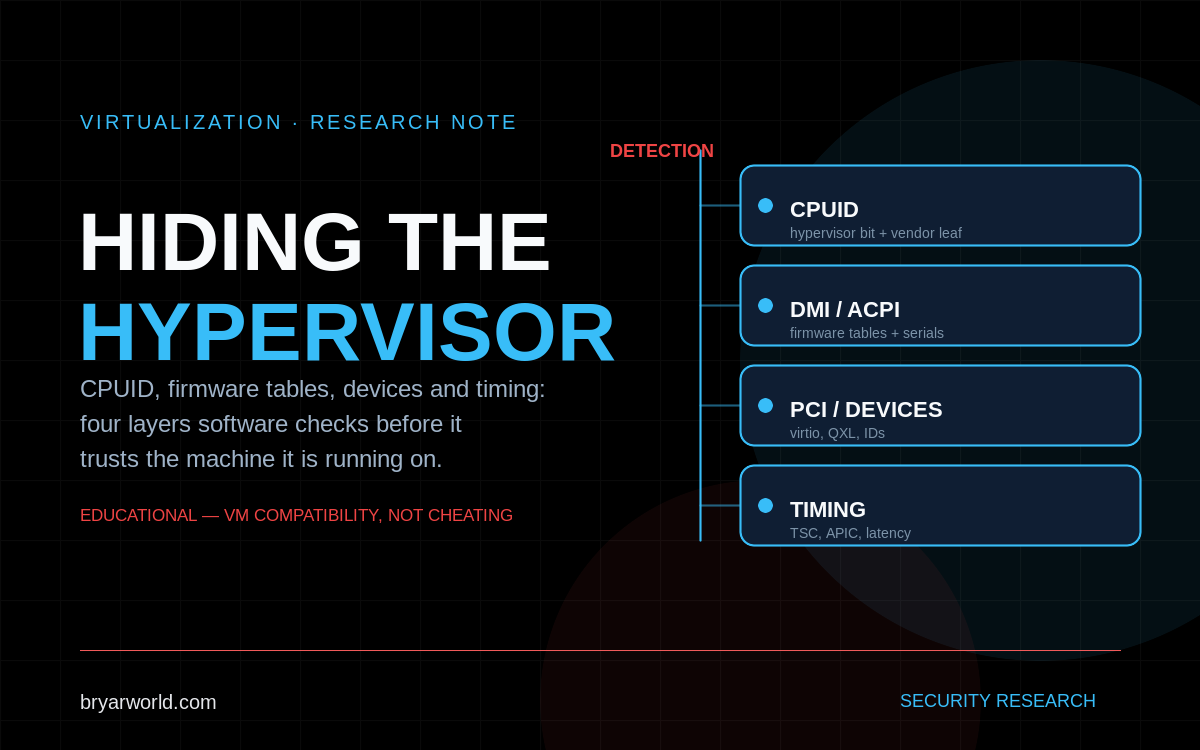
What software sees when it looks for a VM
- CPUID. The hypervisor-present bit and the
0x40000000vendor leaf are the obvious tells; hypervisor-specific leaves expose more. - Firmware tables. SMBIOS/DMI strings, ACPI OEM IDs, and device paths that no retail board uses.
- Devices. virtio, QXL, VMware SVGA, and PCI IDs that belong to an emulator rather than a real device.
- Timing. TSC behavior, APIC latency, and instruction timing that does not match bare metal.
- Guest software. QEMU/SPICE guest agents, drivers, registry keys, and services.
Why anti-cheat is a different wall
Kernel anti-cheats do not rely on a single VM check. They load drivers, inspect the system, watch behavior, and combine client telemetry with server-side signals. Hiding CPUID and SMBIOS removes one class of evidence; it does not make the anti-cheat support a virtual machine. The vendor’s position is usually explicit: VMs are not supported, and bypassing that is a terms-of-service problem, not a configuration problem. I am not going to publish a bypass recipe — the supported answer for those titles is bare metal or a cloud service that runs the game on real hardware.
Running Windows games on a Mac: the real options
Translation layers
CrossOver, Whisky, and Apple’s Game Porting Toolkit translate Windows/DirectX calls to Metal. They work well for many single-player and older titles. They do not satisfy kernel anti-cheat: Easy Anti-Cheat and BattlEye expect Windows kernel interfaces that Wine does not provide.
Virtual machines
Parallels Desktop, VMware Fusion, and UTM can run Windows 11 ARM on Apple Silicon. There is no real GPU passthrough, so 3D performance is limited, and x86 games run through emulation. Anti-cheat titles generally refuse to launch. On Intel Macs, Boot Camp is the better answer: native Windows, native GPU drivers, and anti-cheat works if the hardware supports it.
Cloud gaming
GeForce Now, Xbox Cloud Gaming, and Boosteroid run the game on a real Windows machine and stream it to the Mac. Anti-cheat is not a VM problem because the game is not in a VM. The limits are catalog, queue, latency, and whether the service supports the specific title.
A Windows PC or console
For Warface-class multiplayer with kernel anti-cheat, this is the reliable path. It is also the least interesting answer, which is why people keep looking for a VM workaround.
How to decide for a specific game
- Check for a native macOS version first.
- Check CrossOver/Whisky compatibility for the title. If it uses kernel anti-cheat, stop there.
- Check whether the game is on a cloud service you can use from Iraq.
- On an Intel Mac, consider Boot Camp.
- If none of those work, use a Windows PC or console.
Where vfio-native is genuinely useful
The legitimate use case is research: malware that self-disables in a VM, licensed software that refuses to run virtually, legacy industrial tools on hardware you cannot replace, and security testing where the subject must believe it is on bare metal. The project’s own guidance is to run it only on hardware you control and with software you are licensed to run. It is not a Mac gaming solution, and it is not an anti-cheat bypass.
Common pitfalls
- Assuming a high VMAware score means an anti-cheat will accept the VM. They are different adversaries.
- Expecting GPU passthrough on Apple Silicon. It is not available; 3D performance in a macOS VM is not bare metal.
- Treating Wine/CrossOver as a universal answer. Kernel anti-cheat is the hard stop.
- Using a VM to get around a game’s anti-cheat. That is a ban risk and a terms-of-service violation, not a supported configuration.
Pro tip
Before installing anything, check the game’s anti-cheat and the platform it supports. If the store page lists Easy Anti-Cheat or BattlEye and there is no macOS version, the VM detour is usually wasted time — go straight to cloud gaming or a Windows machine.
Sources: Hackaday — Hiding Virtualization From Other Software, vfio-native, VMAware.

0 Comments